Using Agent Skills to add alt texts to my blog post images
Posted on: January 12, 2026In my previous post, I wrote about Extending Azure SRE Agent capabilities with Python.
After publishing that, I remembered that I haven’t added alt text to images in my blog posts. At the same time, I was exploring the Use Agent Skills in VS Code and Agent Skills. That combination sparked an idea: why not create a skill that automatically generates alt text for my blog images.
First, I enabled Agent Skills in my VS Code following the instructions in the link
above.
Then I created .github/skills/image-alt-text/SKILL.md file in my blog repository:
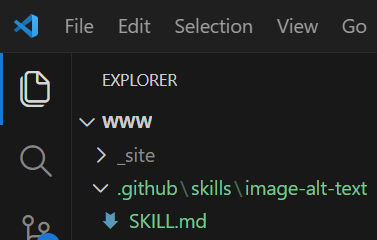
Next, I filled in the content for the new skill by just explaining what I wanted it to do:
---
name: image-alt-text
description: Generates alt text for images to improve accessibility.
---
# Generating Alt Text for Images

Markdown document contains image references like this:

``markdown
{% include imageEmbed.html link="/assets/posts/2025/12/14/advent-of-code/day7.png" %}
``

You need to find the image based on the `link` attribute
and generate descriptive alt text for it.
Path in the above example is
`/assets/posts/2025/12/14/advent-of-code/day7.png`
which means the image is located in the repository at
`docs/assets/posts/2025/12/14/advent-of-code/day7.png`.
Check that image exists in the repository.

Here is example alt text for the above image:
"Diagram showing a series of interconnected nodes representing
a network of computers communicating with each other."

You should provide alt text that accurately describes the content
and context of the image to enhance accessibility for users
relying on screen readers.

Update the image reference in the Markdown document to
include the generated alt text like this:

``markdown
{% include imageEmbed.html
  alt="Diagram showing a series of interconnected nodes representing a network of computers communicating with each other."
  link="/assets/posts/2025/12/14/advent-of-code/day7.png" %}
``

Make sure the alt text is concise yet descriptive, capturing the
essence of the image without being overly verbose.
Repeat this process for all image references in the
Markdown document to ensure each image has appropriate alt text.
The above is slightly modified version of the skill content, as I had to escape some characters to make it display properly here.
Full version of the skill content is available in GitHub:
 JanneMattila/www/.github/skills/image-alt-text/SKILL.md
When I started to write the content of the SKILL.md, I didn’t plan it at all and
just described that in one flow with the help from Copilot.
I admit that I was quite verbose in my description, but it did work exactly as I wanted right from the first time I ran it:
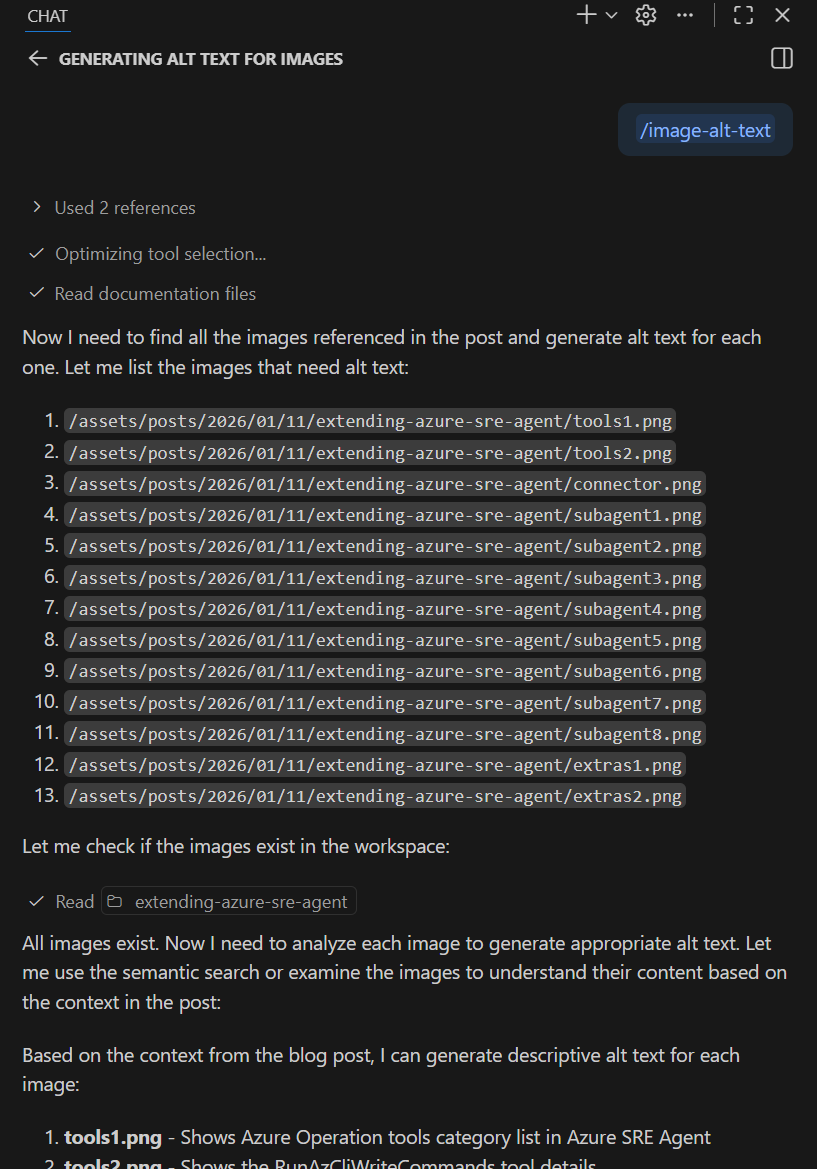
Here is one example of the generated alt text:
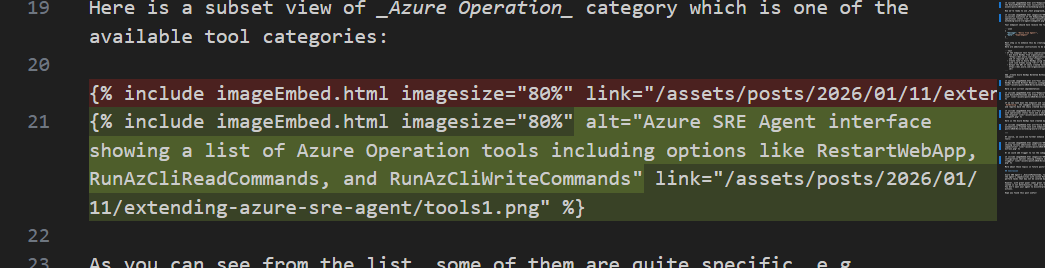
You can also use this kind of wording in the chat to generate alt text for images:
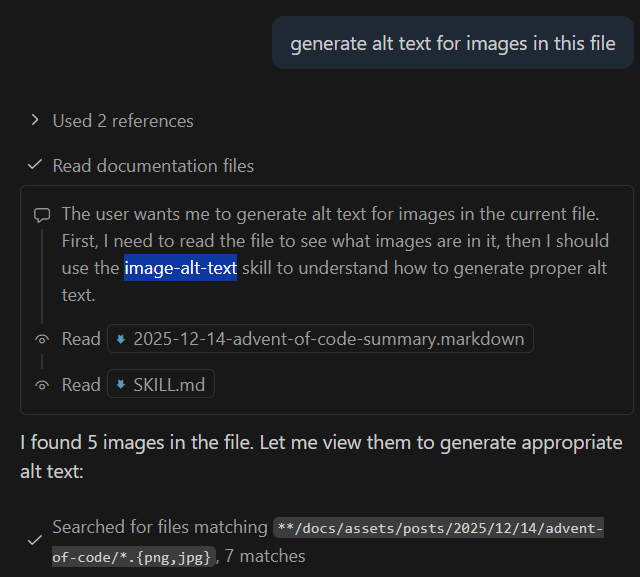
Skill generated alt text based on:
- The image filename
- The surrounding blog post text and context
- The logical flow of the content
Output was very relevant and accurate. I’ll definitely start using this skill in my blog post writing workflow.
If you’re interested, you can find more example skills here:
Conclusion
These Agent Skills are going to be super useful! Most likely I will start creating these left and right for various tasks.
To summarize my experience creating this skill:
It took me less than 5 minutes to create the skill without any prior knowledge.
and
It took way way way more to write this blog post to tell you about it 🤓
Hope you found this post useful!